The Browser Was Just the Warm-Up Act
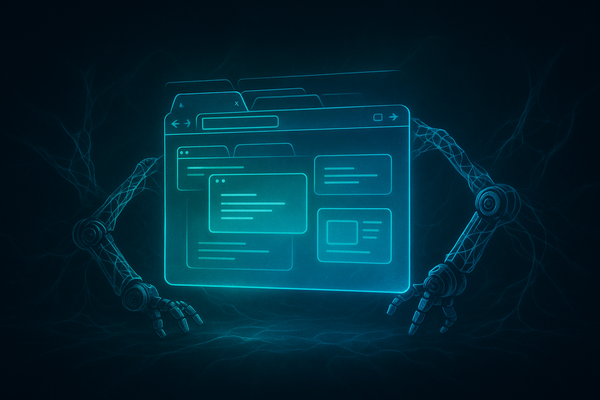
Everyone got excited about browser automation. Playwright scripts, Puppeteer bots, agents clicking through web UIs like a caffeinated intern — it felt like the future. And it was a start. But here's what nobody wants to admit: the majority of enterprise software still lives on the desktop. Legacy ERP systems, CAD tools, specialized finance terminals, thick-client CRMs, local IDEs, government software — none of it runs in a browser tab.
If your AI agents can only touch the web, you've handed them a pair of scissors and called it a full toolkit. Native desktop automation is the next frontier, and it's blowing up on Hacker News right now for a very good reason: the tooling has finally caught up to the ambition.
Let me break down exactly what's happening, why it matters, and — most importantly — what you should be building right now.
Why Desktop Automation AI Agents Are Exploding Now
Three forces collided to make this moment:
- Multimodal LLMs got good at screen understanding. GPT-4o, Claude 3.5 Sonnet, and Gemini 1.5 Pro can now look at a screenshot and tell you exactly where the "Submit" button is, what the error dialog says, and what logical next step to take. This wasn't viable two years ago.
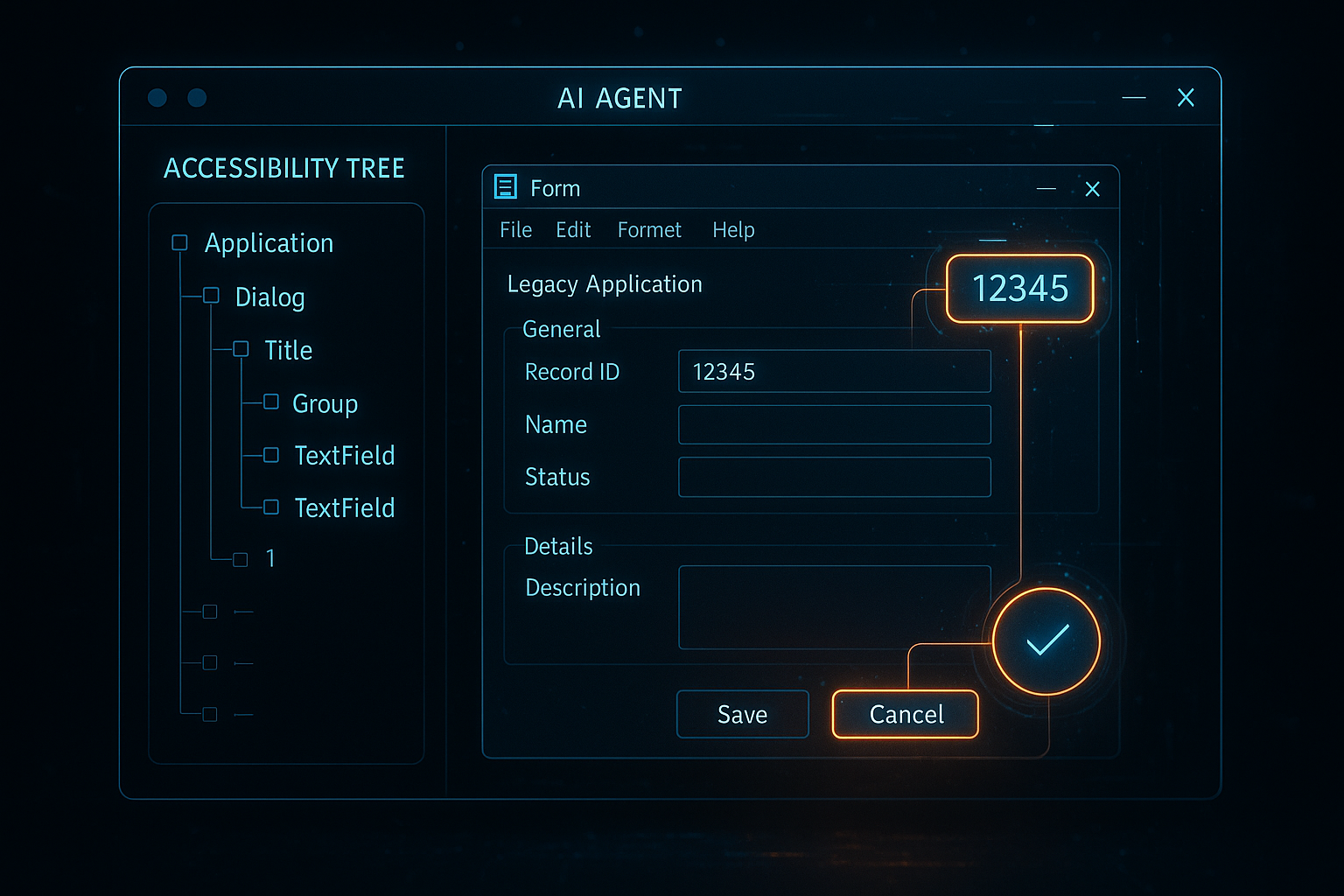
- Accessibility APIs matured as agent interfaces. Every major OS exposes a tree of UI elements through accessibility frameworks — Win32 UI Automation, macOS Accessibility API, AT-SPI on Linux. These aren't hacks; they're stable, documented interfaces designed for programmatic UI interaction.
- Open-source tooling hit critical mass. Projects like
pyautogui,pywinauto,atomacos, and newer agent-first frameworks likecomputer-usefrom Anthropic and Microsoft'sUFOagent are production-grade now.
The business case is overwhelming. If an AI agent can operate any desktop application the way a human employee does, you've just automated entire job categories that were previously untouchable by RPA tools like UiPath — which are expensive, brittle, and require constant maintenance.
The Two Approaches: Vision vs. Accessibility Tree
Before you write a single line of code, you need to understand the fundamental architectural choice in desktop automation AI agents.
Approach 1: Vision-Based (Screenshot → LLM → Action)
The agent takes a screenshot, sends it to a vision LLM, asks "what should I click to accomplish X?", gets coordinates back, and executes the action. This is what Anthropic's Computer Use demo showed. It's generalizable — it works on any application without special setup. But it's slow (a round trip per action), expensive (vision tokens add up fast), and brittle when UI layouts shift even slightly.
Approach 2: Accessibility Tree (Structured UI → LLM → Action)
The agent queries the OS accessibility API to get a structured tree of all UI elements — their roles, labels, states, and positions. This is faster, cheaper, and more reliable. The downside: not every application implements accessibility properly, and legacy apps can have sparse or broken accessibility trees.
The pragmatic answer: use both. Fall back to vision when the accessibility tree is inadequate. This hybrid approach is what serious production systems use.
Getting Your Hands Dirty: A Working Example
Let's build a minimal but real desktop automation agent loop in Python. This example targets Windows (using pywinauto for accessibility) with a vision fallback using a multimodal LLM.
First, install the dependencies:
pip install pywinauto pillow openai pyautoguiNow the core agent loop:
import time
import base64
import pyautogui
from io import BytesIO
from PIL import ImageGrab
from openai import OpenAI
from pywinauto import Desktop

client = OpenAI()

def get_accessibility_tree(window_title: str) -> str:
 """Extract a simplified accessibility tree for the target window."""
 try:
 desktop = Desktop(backend="uia")
 window = desktop.window(title_re=f".*{window_title}.*")
 window.set_focus()
 tree_lines = []
 def walk(element, depth=0):
 try:
 info = element.element_info
 label = info.name or ""
 role = info.control_type or ""
 rect = info.rectangle
 if label or role:
 tree_lines.append(
 f"{'  ' * depth}[{role}] '{label}' "
 f"@ ({rect.left},{rect.top},{rect.right},{rect.bottom})"
 )
 for child in element.children():
 walk(child, depth + 1)
 except Exception:
 pass
 walk(window)
 return "\
".join(tree_lines[:200]) # cap to avoid token overflow
 except Exception as e:
 return f"ERROR: {e}"

def take_screenshot_b64() -> str:
 """Capture the screen and return as base64 PNG."""
 img = ImageGrab.grab()
 buffer = BytesIO()
 img.save(buffer, format="PNG")
 return base64.b64encode(buffer.getvalue()).decode()

def decide_action(goal: str, acc_tree: str, screenshot_b64: str) -> dict:
 """Ask the LLM to decide the next action given current UI state."""
 system_prompt = """You are a desktop automation agent.
 Given a goal, an accessibility tree, and a screenshot, decide the SINGLE next action.
 Return JSON with keys: action (click|type|key|done|error),
 x (int), y (int), text (str), key (str), reason (str).
 For 'click' use center coordinates of the target element.
 If the goal is complete, return action='done'."""

 response = client.chat.completions.create(
 model="gpt-4o",
 response_format={"type": "json_object"},
 messages=[
 {"role": "system", "content": system_prompt},
 {
 "role": "user",
 "content": [
 {"type": "text",
 "text": f"Goal: {goal}\
\
Accessibility Tree:\
{acc_tree}"},
 {"type": "image_url",
 "image_url": {"url": f"data:image/png;base64,{screenshot_b64}",
 "detail": "low"}},
 ]
 }
 ]
 )
 import json
 return json.loads(response.choices[0].message.content)

def execute_action(action: dict):
 """Execute the decided action on the desktop."""
 act = action.get("action")
 if act == "click":
 pyautogui.click(action["x"], action["y"])
 elif act == "type":
 pyautogui.write(action["text"], interval=0.05)
 elif act == "key":
 pyautogui.hotkey(*action["key"].split("+"))
 print(f"[ACTION] {act}: {action.get('reason', '')}")

def run_agent(goal: str, window_title: str, max_steps: int = 20):
 """Main agent loop."""
 print(f"[AGENT] Starting: {goal}")
 for step in range(max_steps):
 print(f"[STEP {step + 1}]")
 acc_tree = get_accessibility_tree(window_title)
 screenshot = take_screenshot_b64()
 action = decide_action(goal, acc_tree, screenshot)
 print(f"[DECISION] {action}")

 if action["action"] == "done":
 print("[AGENT] Goal achieved.")
 return True
 if action["action"] == "error":
 print(f"[AGENT] Error: {action.get('reason')}")
 return False

 execute_action(action)
 time.sleep(1.0) # allow UI to settle

 print("[AGENT] Max steps reached.")
 return False

# Example usage:
# run_agent(
# goal="Open a new document and type 'Hello World', then save it.",
# window_title="Notepad"
# )
This is a skeleton, not a production system. But every production desktop automation AI agent is a more robust version of this loop. The core pattern is always: observe → reason → act → repeat.
The Hard Problems Nobody Warns You About
Don't let the clean example above fool you. Desktop automation AI agents have some genuinely nasty edge cases:
1. UI Latency and Settling Time
GUIs don't update instantly. A click triggers an animation, a network call, a database query. Your agent needs to wait for the UI to settle before observing again. Naive time.sleep(1) calls won't cut it in production — you need to poll accessibility states or watch for specific element conditions.
2. Modal Dialogs and Unexpected Popups
"Are you sure you want to delete?" dialogs. Update nags. License expiry warnings. Your agent will encounter these at the worst possible moment. Build a dedicated interrupt handler that checks for modal dialogs before every action. This is related to the broader challenge of keeping AI agents safe in production environments — an agent clicking "OK" on the wrong dialog can be catastrophic.
3. Resolution and DPI Scaling
Coordinates are meaningless without knowing the display resolution and DPI scaling factor. A coordinate that works on your 1080p development machine breaks completely on a 4K display with 150% scaling. Always normalize coordinates relative to screen dimensions.
4. Token Costs at Scale
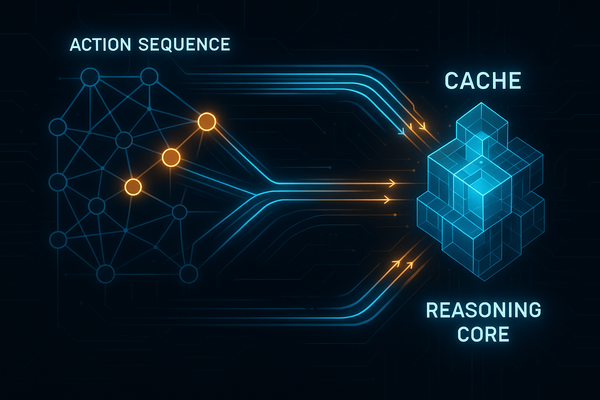
If your agent takes 30 steps and each step sends a screenshot plus accessibility tree to GPT-4o, you're burning serious money. Apply the same discipline you'd use for reducing OpenAI API costs: use smaller models for simple actions, cache static UI structure, and only send screenshots when the accessibility tree is insufficient.
5. State Persistence Between Sessions
Long-running desktop tasks need memory. If your agent opens an application, does 10 steps, then crashes — can it resume? This is the same infrastructure challenge covered in AI agent memory and persistent sandbox infrastructure. Apply those patterns here.
Frameworks Worth Your Attention Right Now
Don't build from scratch if you don't have to. These are the projects actively pushing desktop automation AI agents forward:
- Microsoft UFO — Windows-first agent framework using GPT-4V + UI Automation. Open source, actively maintained. Best choice for Windows-heavy enterprises.
- Anthropic Computer Use — The reference implementation for vision-based desktop control. Docker-based, works cross-platform. Start here to understand the approach before building your own.
- OpenAdapt — Records human demonstrations and generalizes them into reusable agent behaviors. Excellent for the "just show it once" use case.
- PyAutoGUI + pywinauto combo — Lower level, but gives you full control. Essential for production systems where you need to handle edge cases explicitly.
Architecting for Production: What the Examples Don't Show
A real production desktop automation AI agent needs several layers the toy examples skip:
Sandboxed execution environments. Your agent should run in a VM or container with snapshots. If it makes a mistake, roll back. Never run desktop automation agents directly on a production machine without a safety net.
Structured action logging. Every action taken, every observation made, every LLM decision — log it with timestamps. You need this for debugging, for auditing, and for fine-tuning future models on your specific applications.
Human-in-the-loop checkpoints. For high-stakes actions (deleting files, submitting forms, sending emails), inject a confirmation step. The agent pauses, shows a summary of what it's about to do, and waits for approval. The prompt engineering discipline for agentic workflows applies directly here — structure your agent's tool calls so dangerous actions are clearly labeled and gated.
Retry logic with exponential backoff. UI actions fail. Elements aren't found. Applications freeze. Build retry logic at the action level with sensible backoff, and define clear escalation paths when retries exhaust.
Where This Is Going in the Next 12 Months
The trajectory is clear. Multimodal models will get faster and cheaper, making the vision approach more viable. OS vendors — particularly Microsoft with Copilot+ — are building agent-friendly interfaces directly into the OS layer, reducing the need for fragile accessibility hacks.
The most significant development to watch: OS-level agent APIs. Apple's accessibility framework and Microsoft's UI Automation are not designed for high-frequency agent use. Both companies are under pressure to expose clean, agent-optimized APIs. When that happens, the reliability and speed of desktop automation AI agents will jump by an order of magnitude.
For developers building on agentic frameworks like LangGraph: desktop automation becomes just another tool in your agent's toolkit. A node in your graph that can spin up a desktop session, accomplish a task, and return structured results. That compositional power — web + desktop + API all in one agent — is the real prize.
Your Action Plan
Here's what you should do this week, not someday:
- Run the Anthropic Computer Use demo locally. Understand the baseline. Feel where it's slow and where it breaks.
- Audit your own workflow for desktop-only bottlenecks. What applications do your users touch daily that have no API? Those are your automation targets.
- Build the skeleton above against a simple app like Notepad or Calculator. Get the observe-reason-act loop working before adding complexity.
- Add sandboxing from day one. VM snapshots, action logging, human confirmation gates. Retrofitting safety is always harder than building it in.
- Watch Microsoft UFO and OpenAdapt GitHub repos. Both are moving fast. Weekly commits, active issue trackers.
The browser was the training wheels. Desktop automation AI agents are where the real enterprise automation opportunity lives — and right now, the window to build expertise before the space gets crowded is still open. Don't wait.