Browser Automation with Any LLM: The Open-Source Alternative to Computer Use
Anthropic's Computer Use grabbed headlines. OpenAI's Operator got a waitlist. Meanwhile, a quiet revolution happened on GitHub — and developers who found it are shipping autonomous browser agents today, with any LLM they want, at a fraction of the cost. This is the article I wish existed six months ago.
Here's the uncomfortable truth: you don't need a $200/month Claude API plan or a blessed provider to give an AI agent a browser. The open-source ecosystem — led by tools like Browser Use, Playwright-AI, and Skyvern — has caught up fast. The Hacker News thread from last week that hit #1 with 400+ comments wasn't hyperbole. This is genuinely blowing up, and if you're building anything involving web automation, you need to understand why right now.
Why This Is Trending Right Now
Three things converged at once:
- Vision models got cheap. GPT-4o, Gemini 1.5 Flash, and open-weight models like Qwen-VL can now interpret screenshots for pennies per task. The cost barrier evaporated.
- Playwright matured. The underlying browser control layer is rock-solid, cross-platform, and has a Python API that LLMs understand natively from training data.
- Browser Use shipped v0.1. A clean abstraction layer that turns "navigate the web" into structured LLM tool calls hit GitHub and got 12k stars in two weeks. Developers immediately started wiring it to every LLM imaginable.
The result: you can now hand Claude, GPT-4o, Gemini, Llama 3, or a locally-running Mistral a browser and a task, and it will figure out the steps. No proprietary SDK. No vendor lock-in. No waitlist.
The Architecture You Need to Understand
Before we write code, let's be precise about what's actually happening. There are two fundamentally different approaches to LLM browser automation:
Approach 1: DOM-Based (Text-First)
The agent receives a simplified DOM tree or accessibility tree as text. It decides actions (click, type, navigate) as structured outputs. No vision required. Fast, cheap, works with any LLM including small local models.
Approach 2: Vision-Based (Screenshot-First)
The agent receives screenshots. It identifies UI elements visually and generates coordinates or element descriptions. Requires a vision-capable LLM. More robust on heavily JavaScript-rendered or canvas-based UIs.
The best open-source tools let you mix both. That's the killer feature commercial solutions don't advertise — you can use a cheap text model for 90% of navigation and only invoke vision when the DOM is useless.
Getting Started: Browser Use + Any LLM
Let's build a real agent. We'll use browser-use with LangChain's model abstraction, which means you can swap the LLM with one line change. First, install:
pip install browser-use langchain-openai langchain-anthropic playwright
playwright install chromium
Now the core agent loop:
import asyncio
from browser_use import Agent
from langchain_openai import ChatOpenAI

# Swap this for ChatAnthropic, ChatGoogleGenerativeAI,
# or ChatOllama — nothing else changes
llm = ChatOpenAI(
    model="gpt-4o-mini",  # cheap vision model
    temperature=0.0
)

async def run_browser_agent(task: str):
    agent = Agent(
        task=task,
        llm=llm,
    )
    result = await agent.run()
    return result

# Example: scrape competitor pricing
if __name__ == "__main__":
    task = """
    Go to stripe.com/pricing. Extract all plan names,
    monthly prices, and the top 3 features listed per plan.
    Return the data as a JSON object.
    """
    result = asyncio.run(run_browser_agent(task))
    print(result)
That's it. The agent handles navigation, clicks, waiting for dynamic content, and returns structured data. Now let's swap the model to a local Ollama instance:
from langchain_ollama import ChatOllama

# Zero API cost, runs on your machine
llm = ChatOllama(
    model="llama3.2-vision",  # needs vision for screenshots
    temperature=0.0
)

# Everything else stays identical
agent = Agent(task=task, llm=llm)
This is the open-source advantage in one code block. The same task definition runs against any provider.
Adding Persistent Context and Memory
One-shot tasks are fine for demos. Production agents need memory. If you're building something that logs into portals, fills multi-step forms, or monitors dashboards over time, you need state. Here's how to wire persistent context into your browser agent:
import asyncio
import json
from pathlib import Path
from browser_use import Agent, BrowserConfig
from browser_use.browser.browser import Browser
from langchain_openai import ChatOpenAI

# Persist browser profile: cookies, localStorage, auth sessions
config = BrowserConfig(
    headless=True,
    user_data_dir="./browser_profile",  # survives between runs
)

browser = Browser(config=config)

# Load task-specific memory from previous runs
memory_file = Path("./agent_memory.json")
memory = json.loads(memory_file.read_text()) if memory_file.exists() else {}

llm = ChatOpenAI(model="gpt-4o", temperature=0.0)

async def run_with_memory(task: str, context: dict):
    # Inject prior knowledge into the system prompt
    context_str = json.dumps(context, indent=2)
    enriched_task = f"""
    Context from previous runs:
    {context_str}

    Current task:
    {task}
    """

    agent = Agent(
        task=enriched_task,
        llm=llm,
        browser=browser,
    )

    result = await agent.run()

    # Update memory with new findings
    memory["last_run_result"] = str(result)
    memory_file.write_text(json.dumps(memory, indent=2))

    return result

asyncio.run(run_with_memory(
    "Check if the price we noted last time has changed",
    memory
))
For deeper memory patterns, check out our guide on AI agent memory and persistent sandbox infrastructure — the same principles apply directly here.
Self-Healing When the DOM Changes
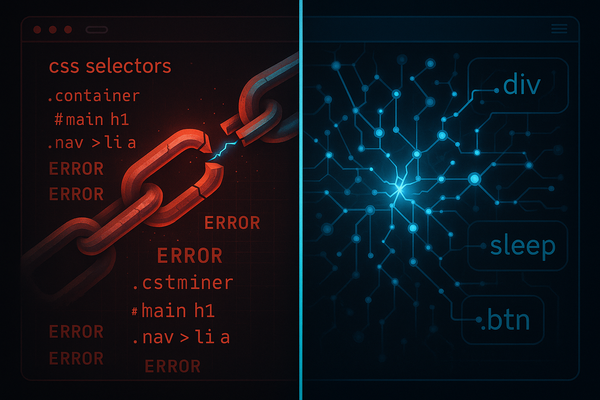
Here's the problem that kills every traditional automation script: selectors break. The site updates, the CSS class changes, the element moves. Your Selenium script throws a NoSuchElementException and dies.
LLM-based agents handle this naturally — but you can make them even more resilient with explicit retry logic and semantic fallback:
from browser_use import Agent
from browser_use.agent.views import AgentHistoryList
import asyncio

async def resilient_agent(task: str, max_retries: int = 3) -> str:
    for attempt in range(max_retries):
        try:
            agent = Agent(
                task=task,
                llm=llm,
                # Tell the agent to describe what it's doing
                # so we can debug failures
                generate_gif=False,
                max_actions_per_step=10,
            )

            history: AgentHistoryList = await agent.run(max_steps=20)

            # Check if task was marked complete
            if history.is_done():
                return history.final_result()
            else:
                # Task didn't complete — retry with more context
                failed_actions = history.action_names()
                task = f"{task}\
\
Note: Previous attempt failed after: {failed_actions}. Try a different approach."

        except Exception as e:
            if attempt == max_retries - 1:
                raise
            await asyncio.sleep(2 ** attempt)  # exponential backoff

    return "Task could not be completed after retries"
We covered the broader patterns behind this in the self-healing browser automation guide — if you're moving to production, read that next.
Multi-Agent Browser Workflows
Single agents are powerful. Multiple specialized agents are transformative. The pattern that's emerging in production: a coordinator agent breaks down complex web tasks, spawns specialized sub-agents for each domain, and aggregates results.
import asyncio
from browser_use import Agent
from langchain_openai import ChatOpenAI
llm = ChatOpenAI(model="gpt-4o-mini", temperature=0.0)
# Specialized agents for different domains
async def research_agent(topic: str) -> dict:
agent = Agent(
task=f"Search Google Scholar for recent papers on '{topic}'. Return titles, authors, and abstracts for the top 5 results.",
llm=llm,
)
return await agent.run()
async def pricing_agent(company_url: str) -> dict:
agent = Agent(
task=f"Go to {company_url} and find the pricing page. Extract all tier names and prices.",
llm=llm,
)
return await agent.run()
async def competitive_analysis(companies: list[str]) -> dict:
# Run pricing agents in parallel
tasks = [pricing_agent(url) for url in companies]
results = await asyncio.gather(*tasks, return_exceptions=True)
return {
company: result
for company, result in zip(companies, results)
if not isinstance(result, Exception)
}
# Coordinator
async def market_research_workflow(topic: str, competitors: list[str]):
research, pricing = await asyncio.gather(
research_agent(topic),
competitive_analysis(competitors)
)
return {"research": research, "competitive_pricing": pricing}
if __name__ == "__main__":
result = asyncio.run(market_research_workflow(
topic="vector database performance benchmarks",
competitors=["pinecone.io", "weaviate.io", "qdrant.tech"]
))
print(result)
This is the same multi-agent coordination pattern we use in AI agents for Kubernetes incident response — the browser is just another tool in the agent's toolbox.
Cost Reality Check
Before you architect anything, run the numbers. Here's what a realistic browser automation task costs across providers:
| Model | Tokens per task (est.) | Cost per 1000 tasks | Vision? |
|---|---|---|---|
| GPT-4o | ~8k | ~$40 | Yes |
| GPT-4o-mini | ~8k | ~$1.20 | Yes |
| Claude Haiku 3.5 | ~8k | ~$0.80 | Yes |
| Gemini 1.5 Flash | ~8k | ~$0.14 | Yes |
| Llama 3.2 (local) | ~8k | $0 (infra cost only) | Vision variant |
The difference between GPT-4o and Gemini Flash for high-volume automation is roughly 285x. For tasks where raw reasoning matters less than reliable execution, that's a decision you need to make consciously. Our guide on reducing OpenAI API costs covers the routing strategies that let you use expensive models only when needed.
What to Build Right Now
Stop reading after this section and go build one of these:
- Competitor price monitor — runs nightly, emails you when pricing pages change. GPT-4o-mini, 10 lines of orchestration code.
- Job board aggregator — searches LinkedIn, Indeed, and company career pages for a specific role, deduplicates, and exports to Notion. Three parallel browser agents.
- Form automation pipeline — handles repetitive government/compliance form submissions. Vision model for captcha handling, DOM agent for everything else.
- Research assistant — given a company name, builds a full briefing doc by visiting their site, Crunchbase, LinkedIn, and recent news. Four specialized sub-agents, 30 minutes of work to build.
These are all things developers shipped last week after finding the Browser Use repo. None require more than 100 lines of Python.
The Production Gotchas
Don't ship without understanding these:
Anti-bot detection is real. Cloudflare, DataDome, and similar systems will block headless Playwright. Use browser profiles with realistic user agents, add random delays, and consider residential proxies for high-frequency tasks. Browser Use supports stealth mode via playwright-stealth.
Rate limiting your own agents. Parallel agents will hit API rate limits fast. Implement a simple semaphore or use LangChain's built-in rate limiting.
Context window overflow. Long browsing sessions accumulate massive histories. Truncate or summarize after every N steps, or you'll hit token limits mid-task.
Legal and ToS compliance. Automating sites against their terms of service is your legal problem, not the tool's. Check robots.txt and ToS before automating any site at scale.
For the broader safety playbook on running agents in production, see our AI agent production safety guide.
The Bottom Line
The commercial Computer Use narrative is that you need a blessed, expensive provider to give AI a browser. That narrative is wrong, and the open-source ecosystem just proved it definitively. You have everything you need today: Browser Use for the abstraction layer, Playwright for browser control, LangChain for LLM portability, and a choice of models from free-to-run local models to frontier APIs.
The developers winning right now aren't waiting for Operator to leave beta. They're shipping. Pick a task you do manually on the web at least once a week. Build the agent this weekend. The tools are ready.
Ready to go beyond the browser? The same agent patterns extend to native desktop apps — legacy ERPs, finance terminals, thick-client tools. Start with desktop automation AI agents.