The Framework Decision That Will Define Your AI App
You've decided to build something serious with LLMs. Not a demo, not a weekend hack — a real application that needs to handle complexity, recover from errors, and scale. Then you hit the first real decision: LangChain or LangGraph?
I've built production systems with both. The answer isn't "use the newer one" or "use the popular one." The answer depends entirely on what your application actually needs to do. Let me give you the mental model that will make this choice obvious.
What LangChain Actually Is (And Isn't)
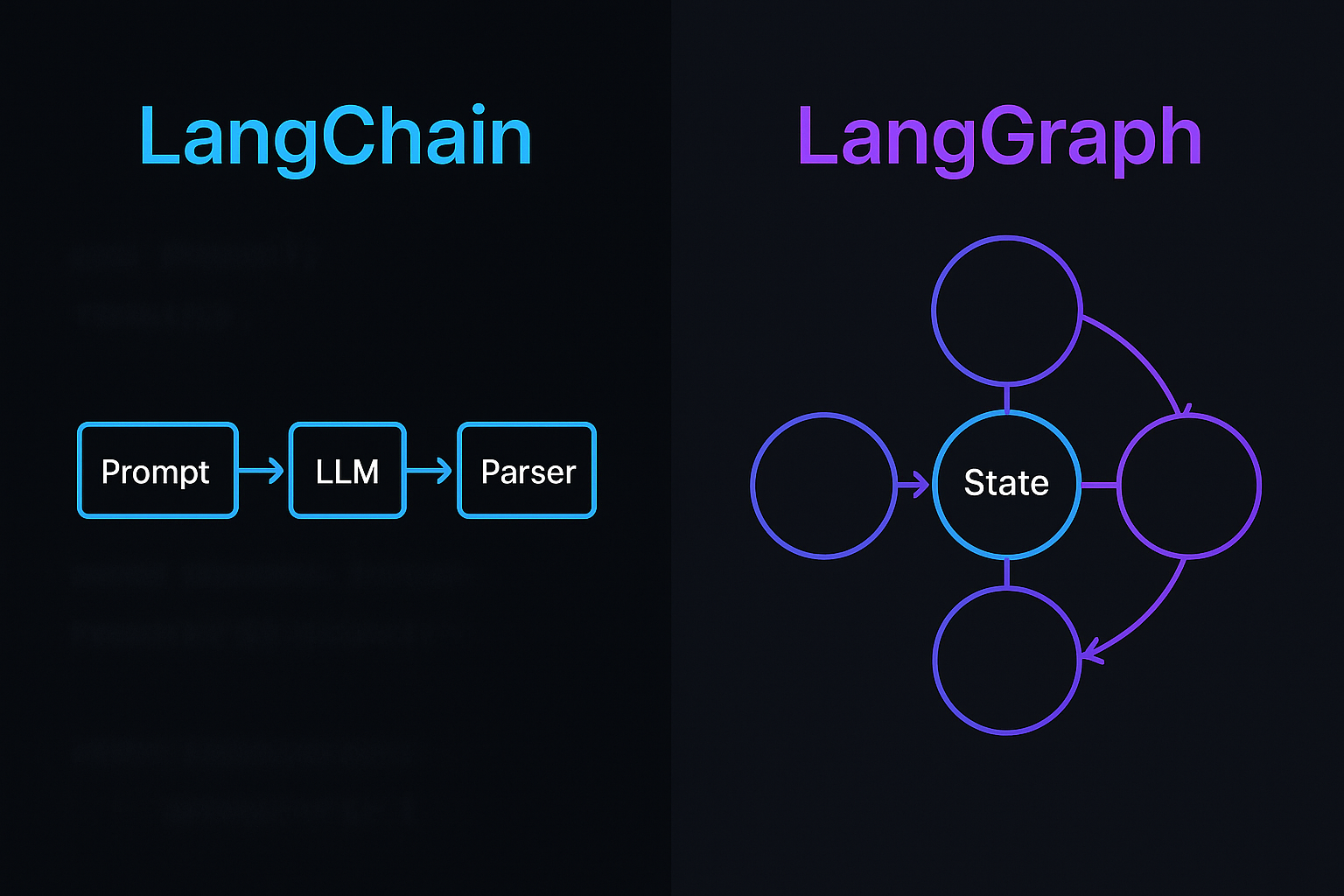
LangChain started as a composability layer — a way to chain together LLM calls, prompts, retrievers, and tools without writing the same boilerplate over and over. At its core, it's built around the concept of a chain: a linear (or mostly linear) sequence of operations where output from one step feeds into the next.
The LCEL (LangChain Expression Language) syntax makes this elegant:
from langchain_openai import ChatOpenAI
from langchain_core.prompts import ChatPromptTemplate
from langchain_core.output_parsers import StrOutputParser

llm = ChatOpenAI(model="gpt-4o")

prompt = ChatPromptTemplate.from_messages([
    ("system", "You are a helpful assistant that summarizes documents."),
    ("human", "{document}")
])

# Clean, readable chain composition
summarize_chain = prompt | llm | StrOutputParser()

result = summarize_chain.invoke({"document": your_document})
print(result)
This is LangChain at its best: readable, composable, and fast to write. Add a retriever and you have a RAG pipeline in 10 lines. Add a tool-calling agent and you have autonomous behavior in 20.
Where LangChain struggles is when your application needs conditional logic, loops, human-in-the-loop interactions, or the ability to revisit previous steps. Chains are fundamentally directed acyclic graphs. Once you need cycles — and most serious agentic applications do — you're fighting the framework instead of building with it.
What LangGraph Actually Is
LangGraph was built by the LangChain team specifically to address this limitation. It models your application as an explicit stateful graph where nodes are functions (usually LLM calls or tool executions) and edges define the flow between them — including conditional edges that choose the next step based on current state.
The key innovation is the state object: a typed dictionary that persists across the entire graph execution. Every node reads from and writes to this state. This makes your application's memory explicit and inspectable rather than hidden in some chain's intermediate variables.
from langgraph.graph import StateGraph, END
from typing import TypedDict, Annotated
import operator

# Define your state schema explicitly
class AgentState(TypedDict):
    messages: Annotated[list, operator.add]
    tool_calls_made: int
    should_continue: bool

def call_llm(state: AgentState):
    # Your LLM call here
    response = llm.invoke(state["messages"])
    return {
        "messages": [response],
        "tool_calls_made": state["tool_calls_made"]
    }

def run_tools(state: AgentState):
    # Execute whatever tools the LLM requested
    tool_results = execute_tools(state["messages"][-1])
    return {"messages": tool_results}

def should_continue(state: AgentState) -> str:
    last_message = state["messages"][-1]
    if last_message.tool_calls:
        return "run_tools"  # Loop back
    return END  # We're done

# Build the graph
workflow = StateGraph(AgentState)
workflow.add_node("llm", call_llm)
workflow.add_node("tools", run_tools)
workflow.set_entry_point("llm")

# Conditional edge — this is what makes LangGraph different
workflow.add_conditional_edges("llm", should_continue)
workflow.add_edge("tools", "llm")  # Loop back to LLM after tools

agent = workflow.compile()
result = agent.invoke({"messages": [initial_message], "tool_calls_made": 0, "should_continue": True})
Notice what's happening: the graph can loop. The LLM runs, decides to call a tool, the tool runs, and we go back to the LLM. This continues until the LLM returns a final answer. This is impossible to express cleanly with LangChain's chain model.
The Core Difference: DAG vs Cyclic Graph
Stop thinking about this as "old framework vs new framework." Think about it as pipeline vs state machine.
Use LangChain when:
- Your workflow is fundamentally linear: input → process → output
- You're building RAG pipelines where the flow is always: retrieve → augment → generate
- You need to ship something fast and the logic is straightforward
- You're doing document processing, summarization, classification, or extraction
- Your "agent" only needs one round of tool use before responding
Use LangGraph when:
- Your agent needs to iterate — plan, execute, evaluate, re-plan
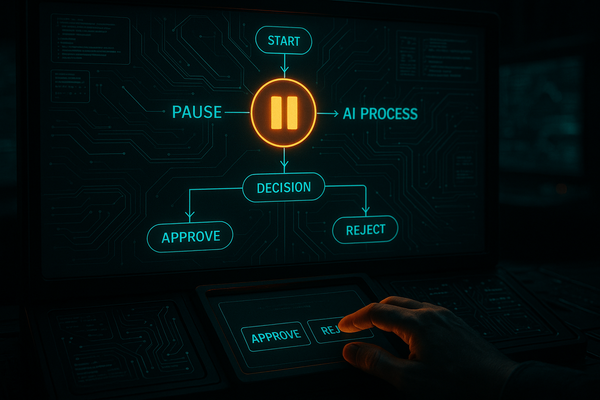
- You need human-in-the-loop: pause execution, get approval, resume
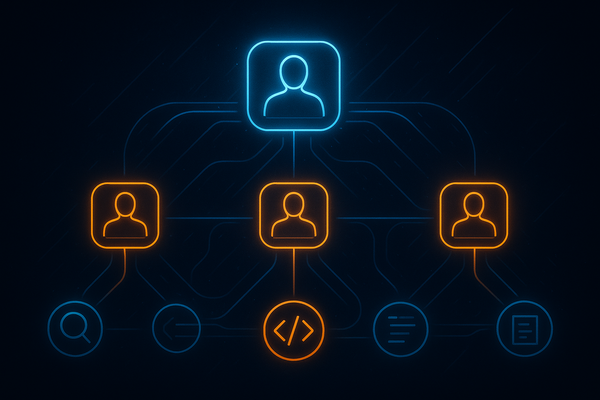
- You're building multi-agent systems where agents hand off to each other
- State needs to persist across multiple interactions (not just within one)
- You need fine-grained control over exactly what happens and when
- Debugging and observability are production requirements
For deeper patterns on multi-agent architectures, see our breakdown of multi-agent workflow orchestration patterns — those patterns map almost directly to LangGraph's graph primitives.
Production Reality Check
Here's what the marketing materials won't tell you.
LangChain in production
LangChain's abstraction layers are convenient until they're not. When something breaks in a complex LCEL chain, the stack traces can be genuinely painful to parse. The framework has also had significant API churn — if you're maintaining a codebase that's 18+ months old, you've probably hit deprecation warnings.
That said, for stable workloads — a RAG pipeline serving thousands of queries a day — LangChain works reliably. The ecosystem is massive. If you need a retriever for Pinecone, Weaviate, Chroma, or any other vector store, it's already there. Same for LLM providers. See our guide on modern RAG architecture for production for how this plays out at scale.
LangGraph in production
LangGraph's explicit state model is a genuine advantage when debugging. You can inspect exactly what was in state when a node failed. The checkpointing system — built in, not an afterthought — means you can resume failed executions rather than retrying from scratch.
The downside: LangGraph has a steeper learning curve and more boilerplate for simple tasks. If you just need to summarize a document, defining a state schema and building a graph is overkill. You'll also want to invest in the observability tooling (LangSmith integrates tightly) because graph execution can become hard to follow without good tracing.
When deploying either framework, the hard lessons around latency, retry logic, and cost management apply equally. Our notes on LLM production deployment cover the infrastructure layer that sits beneath both frameworks.
They're Not Mutually Exclusive
This is the part most comparisons miss: you can and often should use both. LangGraph nodes are just Python functions. Inside those functions, you can use LangChain components — LCEL chains, retrievers, output parsers — without any conflict.
from langchain_core.prompts import ChatPromptTemplate
from langchain_openai import ChatOpenAI
from langchain_core.output_parsers import StrOutputParser
from langgraph.graph import StateGraph

# Build a LangChain component
analysis_chain = (
    ChatPromptTemplate.from_template("Analyze this data: {data}")
    | ChatOpenAI(model="gpt-4o")
    | StrOutputParser()
)

# Use it inside a LangGraph node
def analysis_node(state):
    result = analysis_chain.invoke({"data": state["raw_data"]})
    return {"analysis": result}

# The graph handles orchestration; LangChain handles the LLM interaction
workflow = StateGraph(AgentState)
workflow.add_node("analyze", analysis_node)
# ... rest of graph definition
Think of LangGraph as the orchestration layer and LangChain as the component library. The graph controls flow and state; LangChain provides the building blocks for individual steps. This hybrid approach gives you the readability of LCEL where it shines and the control of explicit state graphs where you need it.
This pattern becomes especially powerful when combined with structured tool calling — see our article on prompt engineering for agentic workflows and tool calling for how to design the prompts that drive these systems effectively.
Decision Framework: Three Questions
When a new project lands on my desk, I ask three questions to make this call quickly:
1. Does the application need to loop?
If your agent might need to call tools multiple times, retry after failures, or iteratively refine output — LangGraph. If it's one-shot — LangChain may be sufficient.
2. Does state need to survive between turns?
Building a multi-turn assistant that remembers context across sessions? LangGraph's checkpointing makes this first-class. LangChain can do it, but you're managing memory manually.
3. Do you need to pause and wait for humans?
Approval workflows, review steps, human-in-the-loop validation — LangGraph has native interrupt/resume support. This is genuinely difficult to implement cleanly in LangChain.
If you answered yes to any of these: LangGraph. If all three are no: LangChain is simpler and faster to build with. And remember — you can always start with LangChain and migrate the orchestration layer to LangGraph as requirements grow. I've done this migration on two production systems and it's less painful than you'd expect because the component logic stays the same.
Practical Takeaways
- LangChain = pipeline. Fast to build, great ecosystem, ideal for RAG and linear agentic flows.
- LangGraph = state machine. More verbose, but necessary for loops, human-in-the-loop, and complex multi-agent coordination.
- Combine them. Use LangGraph for orchestration, LangChain components inside nodes. This is how most serious production systems end up looking.
- Invest in observability either way. LangSmith works with both. Don't skip it in production.
- Start simple. Reach for LangChain first. Add LangGraph's orchestration when your requirements actually demand it — not because it's the newer thing.
The best framework is the one that matches your application's actual control flow. Get that right, and everything else becomes easier.