Let me be direct with you: if you're still manually writing boilerplate, hand-crafting repetitive test cases, or copy-pasting code between files like it's 2019, you're leaving serious productivity on the table. The developers winning right now aren't necessarily smarter — they've just automated the boring parts and reserved their cognitive budget for what actually matters.
AI developer workflow automation isn't a buzzword anymore. It's a genuine competitive advantage, and the gap between developers who've adopted it and those who haven't is widening every month. This guide is about the practical, unglamorous reality of making it work — not demos, not hype, actual day-to-day integration.
Why This Is Blowing Up Right Now
Three forces converged to make this moment different from every previous "AI will change dev workflows" cycle:
Context windows got big enough to be useful. When you can feed an entire codebase module into a model and get coherent, contextually aware output, the quality bar crossed a threshold. Early AI coding tools were pattern-matchers. Current ones reason about your actual code.
Tool-calling became reliable. Models can now invoke real tools — run tests, read files, call APIs — rather than just suggesting you do it. This transforms AI from an advisor into an actor. We covered the mechanics of this in detail in our prompt engineering for agentic workflows guide.
The cost dropped to near-zero for most tasks. Automating a code review pass costs fractions of a cent. There's no longer a meaningful economic argument against it for routine work.
The Five Grunt Work Categories Worth Automating
Not everything deserves automation. Here's where the ROI is actually real:
1. Code Review Pre-Pass
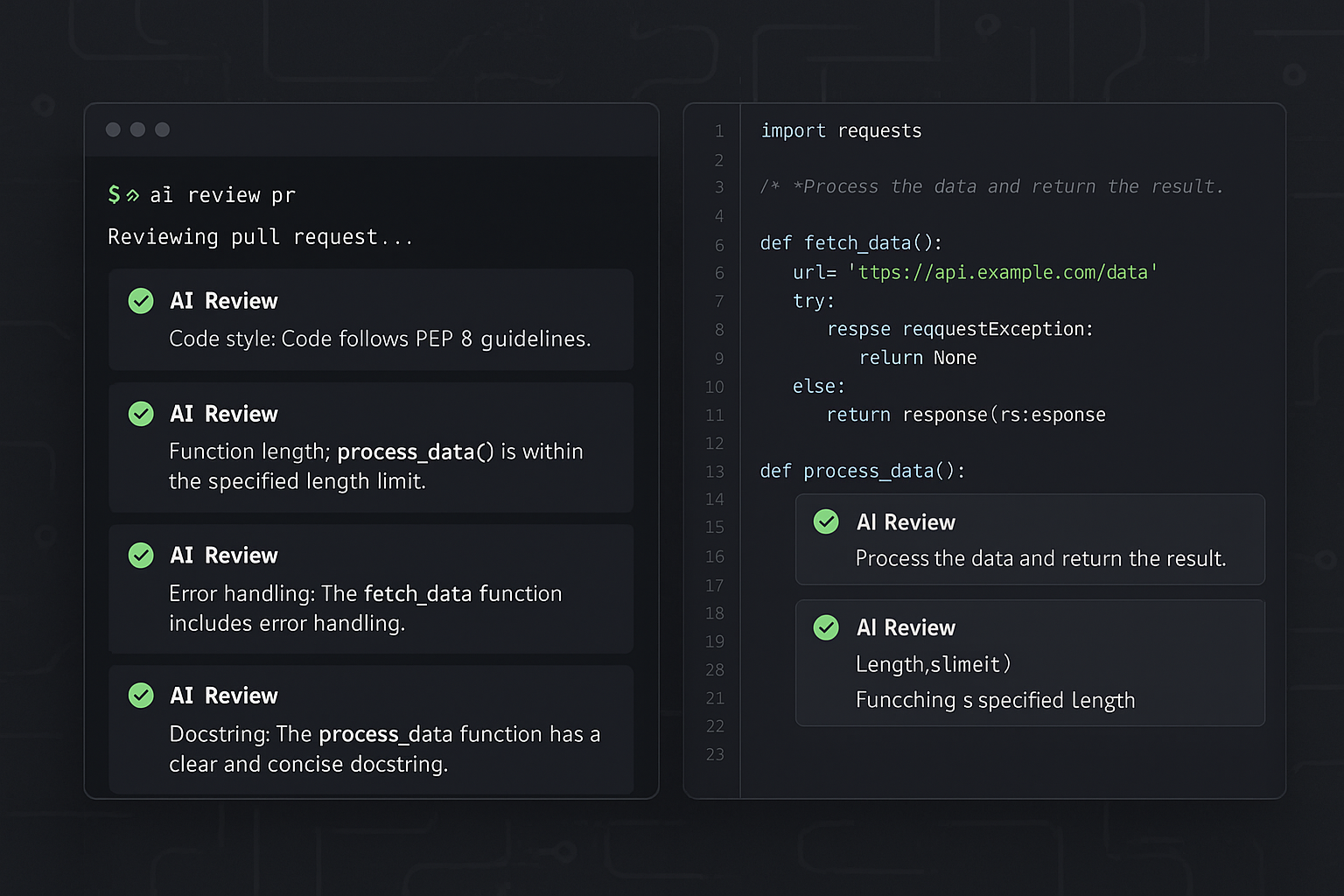
Before a human reviews your PR, run an automated pass that catches the obvious stuff — missing error handling, inconsistent naming, potential null pointer issues, security antipatterns. This isn't replacing code review. It's eliminating the low-signal noise so human reviewers can focus on architecture and logic.
2. Test Generation from Implementation
Writing unit tests for code you just wrote is cognitively tedious and creativity-free. You know exactly what it's supposed to do. A model knows how to express that as assertions. This is a solved problem — automate it.
3. Documentation and Changelog Generation
Nobody writes good docs under deadline pressure. Automating first-draft documentation from code and commit history produces something 80% of the way there with zero effort. The remaining 20% is editorial work, which is actually worth a human's time.
4. Boilerplate and Scaffold Generation
New service? New API endpoint? New database model? The structural skeleton of these things is formulaic. Stop writing it by hand.
5. Bug Triage and Root Cause Drafting
When something breaks at 2am, the last thing you want to do is manually correlate logs, stack traces, and recent commits. An automated triage pass that assembles context and drafts a hypothesis is genuinely valuable.
Building Your Automation Stack: The Practical Setup
Here's an actual working setup you can deploy this week. We'll use the OpenAI API directly (swap in whatever model you prefer) and structure it as composable scripts you can hook into your existing CI/CD.
Step 1: The Core Automation Client
import openai
import subprocess
import sys
from pathlib import Path

client = openai.OpenAI()

def run_automation_pass(task: str, context: str, model: str = "gpt-4o") -> str:
    """
    Core function for all dev workflow automation tasks.
    Returns the model's response as a string.
    """
    response = client.chat.completions.create(
        model=model,
        messages=[
            {
                "role": "system",
                "content": (
                    "You are a senior software engineer assistant. "
                    "Be concise, specific, and actionable. "
                    "Return structured output unless told otherwise."
                )
            },
            {
                "role": "user",
                "content": f"Task: {task}\
\
Context:\
{context}"
            }
        ],
        temperature=0.2  # Low temp for deterministic technical output
    )
    return response.choices[0].message.content

def get_git_diff(base_branch: str = "main") -> str:
    """Get the current diff against a base branch."""
    result = subprocess.run(
        ["git", "diff", base_branch],
        capture_output=True,
        text=True
    )
    return result.stdout[:8000]  # Truncate for token limits
Step 2: Automated Code Review Script
def automated_code_review(diff: str) -> dict:
    """
    Run a pre-pass code review on a git diff.
    Returns structured findings by category.
    """
    task = """Review this code diff and return findings in this exact format:

SECURITY:
- [issue or 'None found']

ERROR_HANDLING:
- [issue or 'None found']

PERFORMANCE:
- [issue or 'None found']

CODE_QUALITY:
- [issue or 'None found']

SUGGESTIONS:
- [actionable improvement or 'None']

Be specific. Reference line numbers if possible. Skip obvious style nitpicks."""

    result = run_automation_pass(task, diff)
    return {"raw": result, "passed": "SECURITY:\
- None found" in result}

# Usage in CI:
if __name__ == "__main__":
    diff = get_git_diff()
    if not diff:
        print("No diff found. Skipping review.")
        sys.exit(0)

    review = automated_code_review(diff)
    print(review["raw"])

    # Fail CI if security issues found
    if not review["passed"]:
        print("\
⚠️  Security concerns flagged. Human review required.")
        sys.exit(1)
Step 3: Test Generation from Source Files
def generate_tests(source_file: Path, test_framework: str = "pytest") -> str:
    """
    Generate unit tests for a Python source file.
    """
    source_code = source_file.read_text()

    task = f"""Generate comprehensive {test_framework} unit tests for this code.

Requirements:
- Cover happy path, edge cases, and error conditions
- Use descriptive test names (test_function_name_scenario)
- Mock external dependencies
- Include at least one parametrized test where appropriate
- Add brief docstrings explaining what each test verifies

Return ONLY the test code, no explanation."""

    return run_automation_pass(task, source_code)

# Generate tests for a module
source = Path("src/payment_processor.py")
test_code = generate_tests(source)
output_path = Path("tests/test_payment_processor.py")
output_path.write_text(test_code)
print(f"Tests written to {output_path}")
Step 4: Commit-to-Changelog Automation
def generate_changelog_entry(since_tag: str = "HEAD~10") -> str:
    """
    Generate a changelog entry from recent commits.
    """
    # Get recent commits
    result = subprocess.run(
        ["git", "log", f"{since_tag}..HEAD", "--oneline", "--no-merges"],
        capture_output=True,
        text=True
    )
    commits = result.stdout

    task = """Convert these git commits into a user-facing changelog entry.

Format as:
## [Unreleased]

### Added
- ...

### Changed
- ...

### Fixed
- ...

Rules:
- Group related commits
- Write for end users, not developers
- Skip internal/refactor commits unless significant
- Be specific about what changed and why it matters"""

    return run_automation_pass(task, commits)
Wiring It Into Your CI/CD Pipeline
Scripts that don't run automatically are scripts that don't run. Here's a GitHub Actions workflow that puts the code review automation into your PR pipeline:
name: AI Dev Workflow Automation

on:
  pull_request:
    types: [opened, synchronize]

jobs:
  ai-review:
    runs-on: ubuntu-latest
    steps:
      - uses: actions/checkout@v4
        with:
          fetch-depth: 0

      - name: Set up Python
        uses: actions/setup-python@v4
        with:
          python-version: '3.11'

      - name: Install dependencies
        run: pip install openai

      - name: Run AI code review
        env:
          OPENAI_API_KEY: ${{ secrets.OPENAI_API_KEY }}
        run: |
          python scripts/ai_review.py \
            --base ${{ github.base_ref }} \
            --output review_output.txt

      - name: Post review as PR comment
        uses: actions/github-script@v6
        with:
          script: |
            const fs = require('fs');
            const review = fs.readFileSync('review_output.txt', 'utf8');
            github.rest.issues.createComment({
              issue_number: context.issue.number,
              owner: context.repo.owner,
              repo: context.repo.repo,
              body: `## 🤖 AI Pre-Review\
\
${review}`
            });
The Mistakes Everyone Makes (And How to Avoid Them)
Trusting output without validation. AI-generated tests can be syntactically correct and semantically wrong. They assert the right shape but test the wrong thing. Always run generated tests against known-broken code to verify they actually catch failures.
Using high temperature for technical tasks. Creativity is the enemy of consistency in code generation. Temperature 0.1-0.2 for code, higher only for documentation where variation is acceptable.
Feeding entire repos as context. Bigger context doesn't mean better output. Targeted, relevant context outperforms kitchen-sink prompts. For production deployments, this is directly tied to cost — see our breakdown on reducing OpenAI API costs without sacrificing quality.
Not versioning your prompts. Your automation prompts are code. Treat them that way. When output quality regresses, you need to know what changed.
Over-automating judgment calls. Architecture decisions, security tradeoffs, product direction — these aren't grunt work. Don't automate away the things that require actual engineering judgment.
What the Agentic Future Looks Like
The scripts above are static automation — input in, output out. The next level is agentic workflows where the AI takes sequences of actions autonomously: reads the failing test, locates the relevant code, proposes a fix, runs the tests again, and only escalates to you if it can't resolve it.
We're already building toward this. The infrastructure for persistent agent memory, the safety guardrails for production deployments, the tool-calling patterns — it's all converging. If you want to see how the memory and state management side of this works, we covered the full infrastructure in our AI agent memory and persistent sandbox guide. And if you're thinking about what happens when these agents start operating on desktops and local systems rather than just APIs, desktop automation AI agents is where that's headed.
Before you scale any of this to autonomous operation in production, read our piece on AI agent production safety. The failure modes are real and they're not always obvious until something breaks at the worst possible time.
Your Action Plan for This Week
Don't try to automate everything at once. Here's a sequence that builds momentum:
Day 1-2: Set up the core automation client above. Run it manually on your last three PRs and compare its findings to what your human reviewers caught. Calibrate your expectations.
Day 3-4: Pick the single most tedious recurring task in your workflow — probably test generation or changelog writing — and fully automate it. Get it running reliably before adding more.
Day 5: Wire one automation into CI/CD. Even if it's just informational (posts a comment, doesn't block), getting it into the pipeline makes it real and keeps it running.
Week 2+: Measure. How much time are you actually saving? Where is the output quality falling short? Iterate on your prompts, not the code.
The developers who are going to dominate the next few years aren't waiting for a perfect AI coding assistant to materialize. They're building their own, one automated grunt task at a time, and compounding the advantage every sprint. Start this week. The gap is only going to widen.